Syslog
The Syslog backend is ingest-only, and exports logs to a remote Syslog receiver using TCP or TLS. It adheres to RFC 5424 and uses octet-counting framing.
Behavior and Configuration
Configuration
The following values are required when creating a Syslog backend:
host: (string, required) The hostname or IP address of the syslog receiver.port: (integer, required) The port of the syslog receiver (0-65535).
The following values are optional:
tls: (boolean) If true, connects via SSL/TLS. Defaults to false (TCP).max_message_bytes: (integer) Maximum size of the syslog message in bytes. If a log exceeds this limit, the JSON body is truncated to fit. If the headers alone exceed this limit, the body is dropped entirely. Defaults to50000bytes.structured_data: (string) Static RFC 5424 Structured Data to include in every log frame (e.g.,[exampleSDID@32473 iut="3" eventSource="Application"]).cipher_key: (string) A base64-encoded 32-byte key. If provided, the log body is encrypted using AES-256-GCM.ca_cert: (string) PEM encoded CA certificate for verifying the server. If not provided, the backend falls back to the system's default CA certificate bundle.client_cert: (string) PEM encoded client certificate for mTLS.client_key: (string) PEM encoded client private key for mTLS.
If client_cert is provided, client_key is also required.
Integration Example: Better Stack
To integrate Logflare with Better Stack, follow these steps:
-
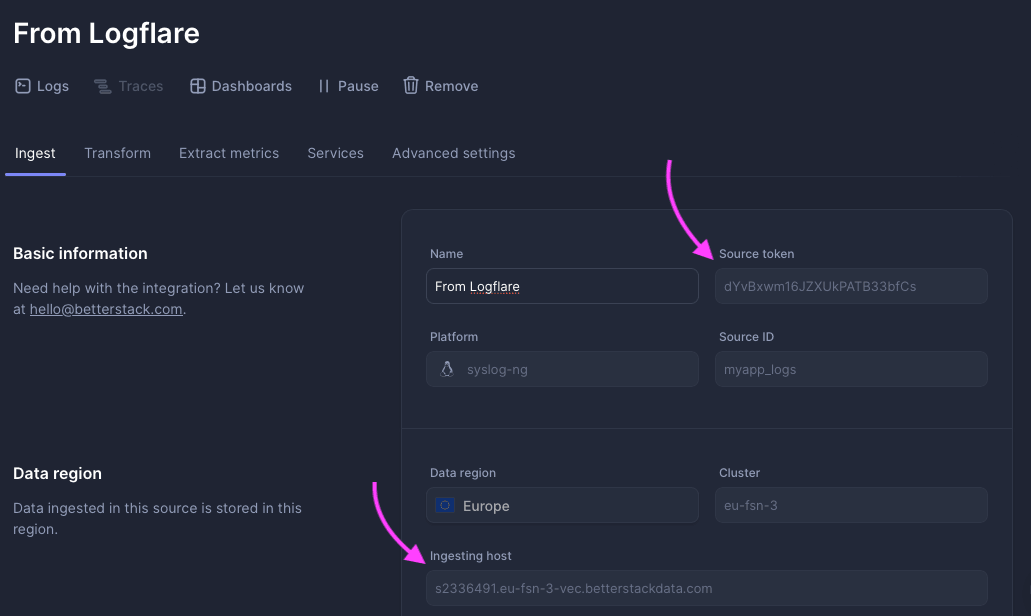
In Better Stack, create a new Syslog source and note the provided source token and ingesting host.
-
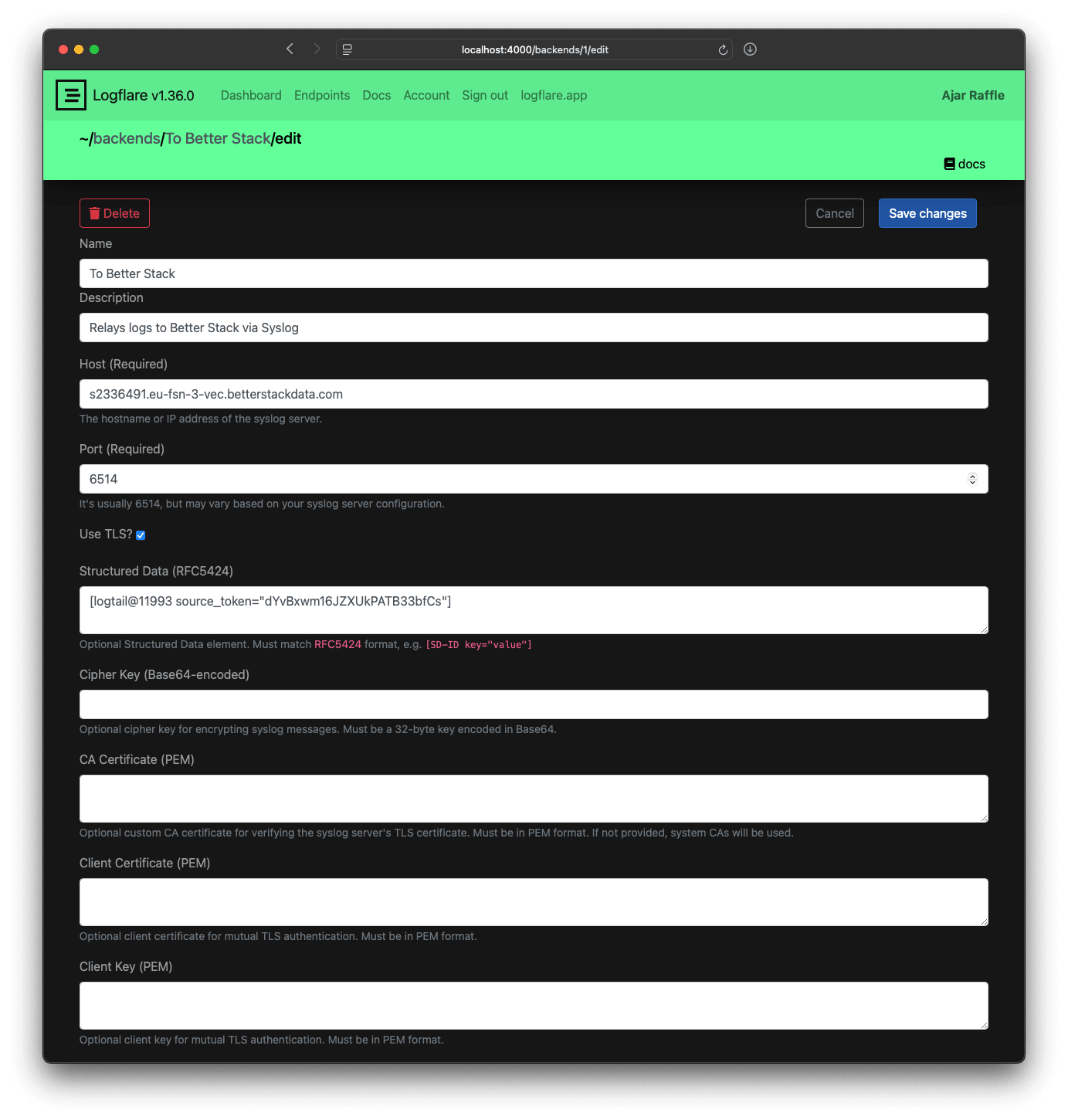
In Logflare, create a new Syslog backend using the source token and host from Better Stack. Make sure to enable TLS and use port 6514.
-
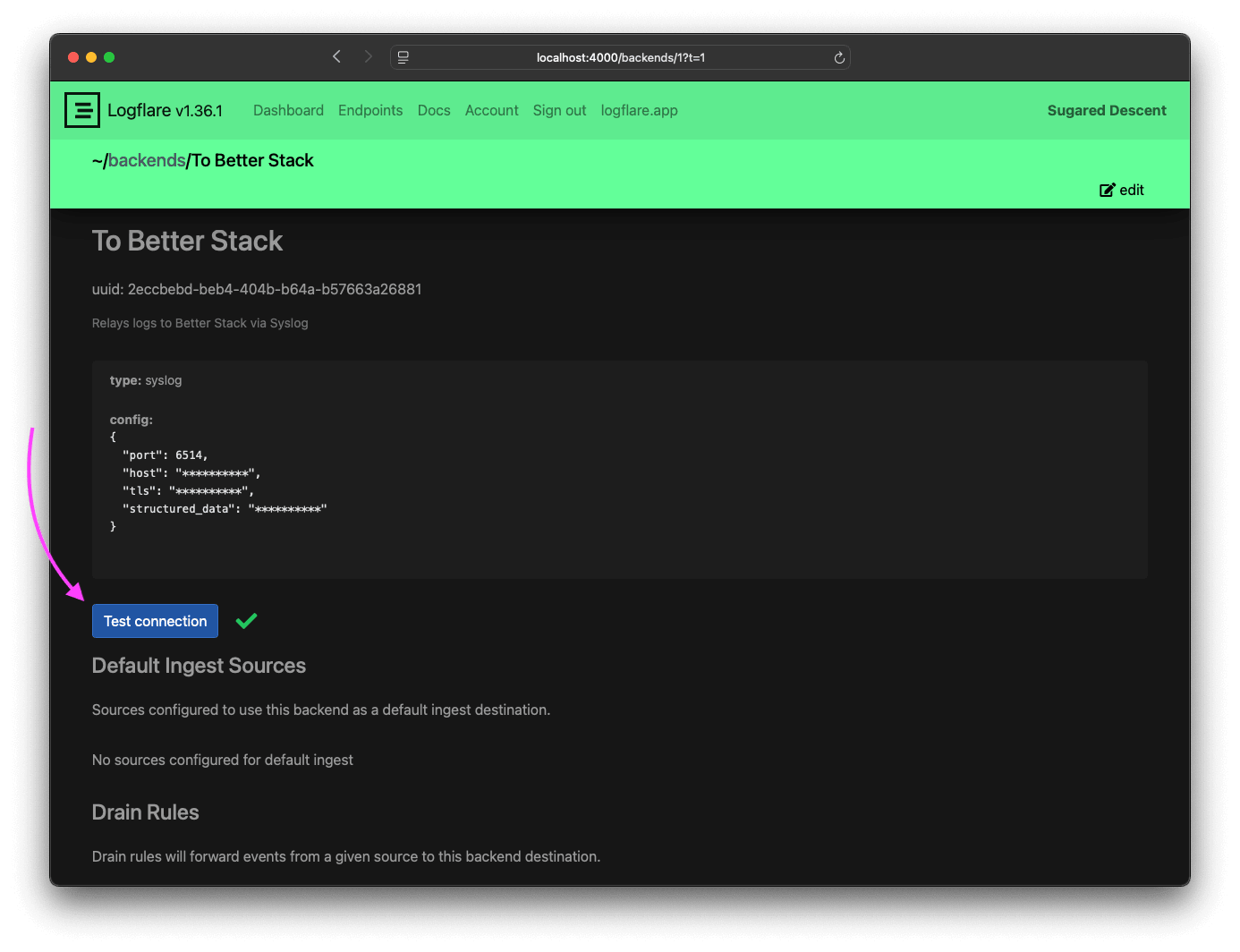
Click Test connection on your Logflare backend page to verify connectivity to Better Stack.
-
Enable the backend for your source to start sending logs to Better Stack.
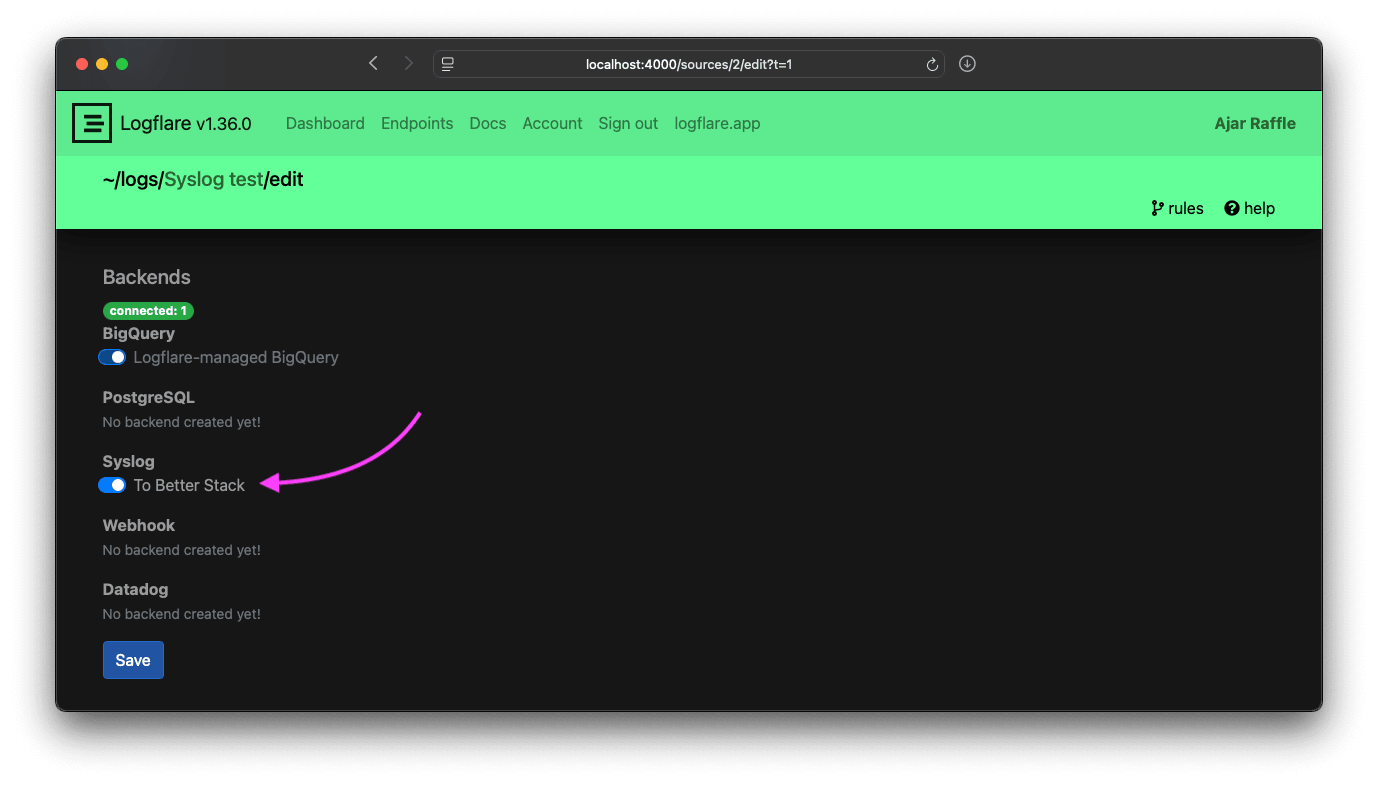
-
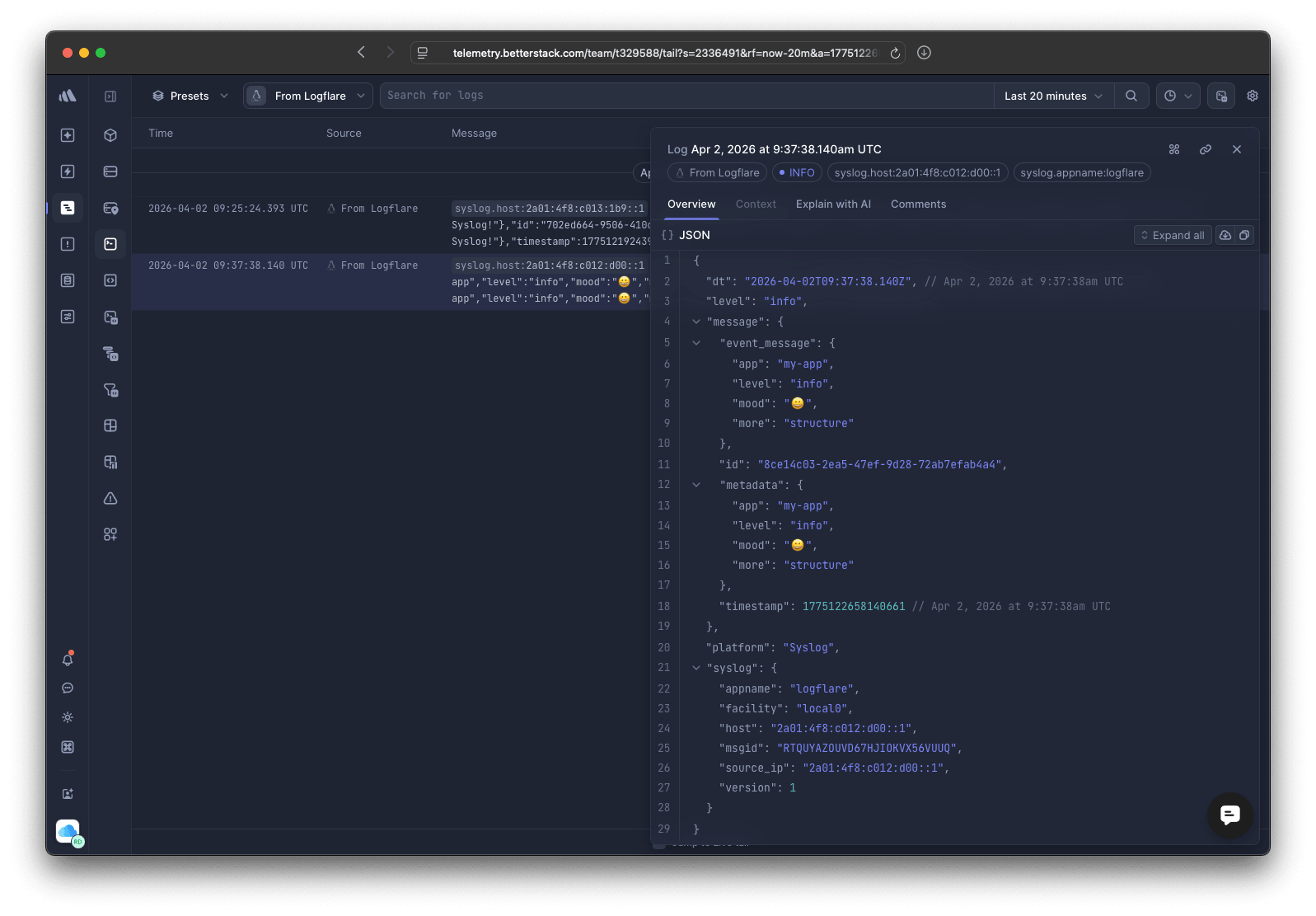
Test the integration by sending some log messages to your Logflare source. You should see the logs appear in Better Stack within a few seconds.
export LOGFLARE_DEMO_ENDPOINT="http://localhost:4000"
export LOGFLARE_DEMO_SOURCE_ID="e3041ee1-8b85-4115-af7b-3c9ccc7f649c"
export LOGFLARE_DEMO_API_KEY="my-other-cool-api-key-123"

curl -X POST "$LOGFLARE_DEMO_ENDPOINT/logs/json?source=$LOGFLARE_DEMO_SOURCE_ID" \
     -H "content-type: application/json" \
     -H "x-api-key: $LOGFLARE_DEMO_API_KEY" \
     -d '"Hello from Logflare to Better Stack via Syslog!"'

curl -X POST "$LOGFLARE_DEMO_ENDPOINT/logs/json?source=$LOGFLARE_DEMO_SOURCE_ID" \
     -H "content-type: application/json" \
     -H "x-api-key: $LOGFLARE_DEMO_API_KEY" \
     -d '{"more": "structure", "level": "info", "app": "my-app", "mood": "😀"}'